Physical Address
304 North Cardinal St.
Dorchester Center, MA 02124
Physical Address
304 North Cardinal St.
Dorchester Center, MA 02124

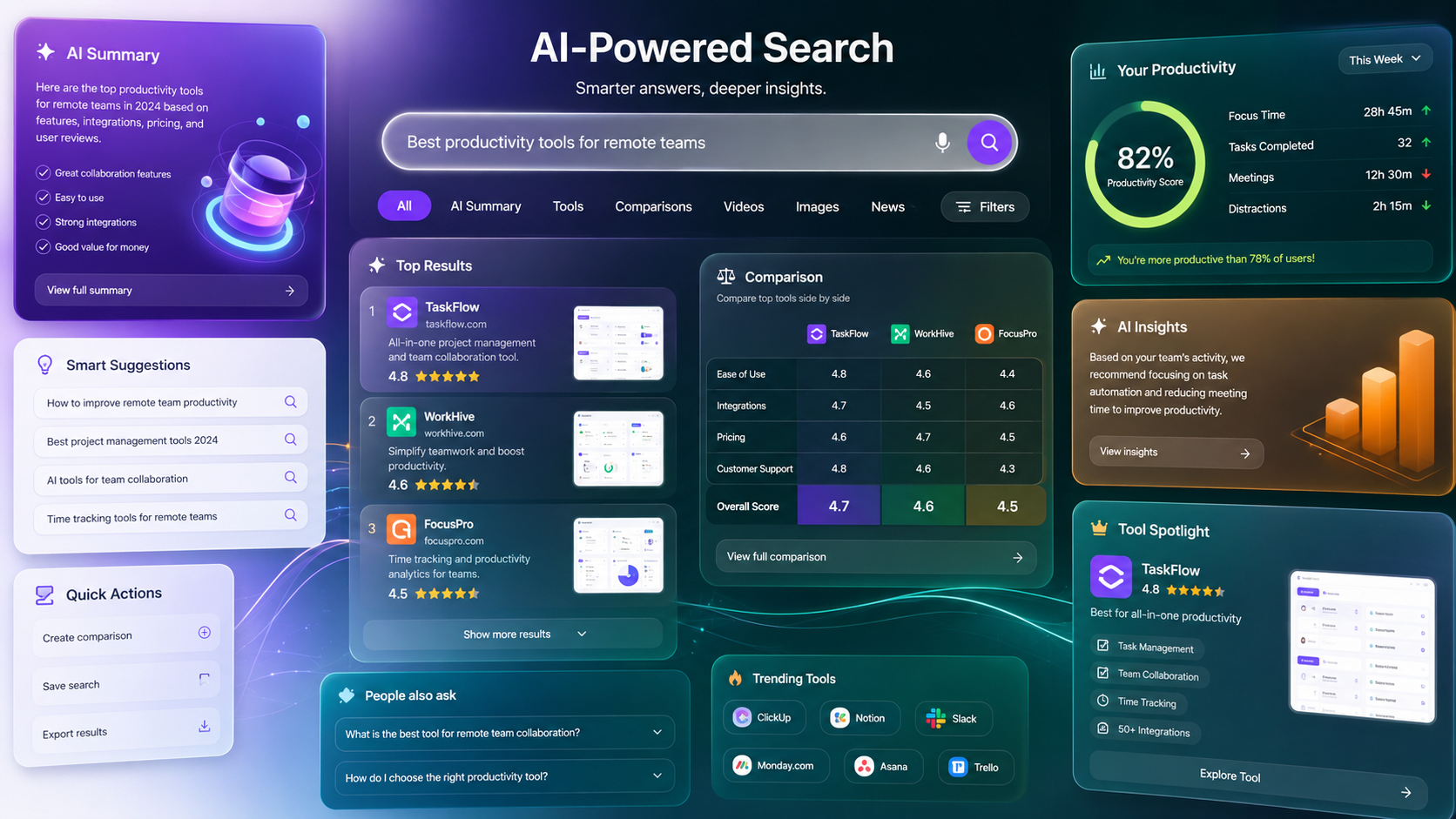
Search is changing faster than ever. A few years ago, finding information usually meant opening several websites, comparing different sources, and spending time looking for the exact answer. Today, search engines are becoming more interactive, helping users understand information instead of simply displaying a long list of links.
One of the biggest developments in this area is Google AI Mode. It combines artificial intelligence with traditional search to deliver conversational answers, summaries, comparisons, and follow-up suggestions. Rather than starting a new search for every question, users can continue asking related questions in the same conversation, making research feel more natural.
Whether you’re a student preparing for an assignment, a freelancer researching a new project, a small business owner comparing software, or simply someone who wants quicker answers, Google AI Mode can save time while making search results easier to understand.
In this guide, you’ll learn what Google AI Mode is, how it works, its main features, practical benefits, limitations, and tips for getting the best results.
Google AI Mode is an AI-powered search experience that combines Google’s search technology with advanced language models to provide more useful and conversational answers.
Instead of only showing a page filled with website links, it can generate a summarized response based on information from multiple sources while still encouraging users to explore the original websites for additional details.
Think of it as a smarter way to search.
For example, imagine you search for:
“Which laptop is best for a graphic designer under $1,000?”
Instead of reading ten different reviews one by one, Google AI Mode may first provide:
This reduces research time while helping users make better decisions.
Traditional search focuses on helping users discover websites.
Google AI Mode focuses on helping users understand information before they decide which sources to explore further.
Both approaches work together rather than replacing one another.
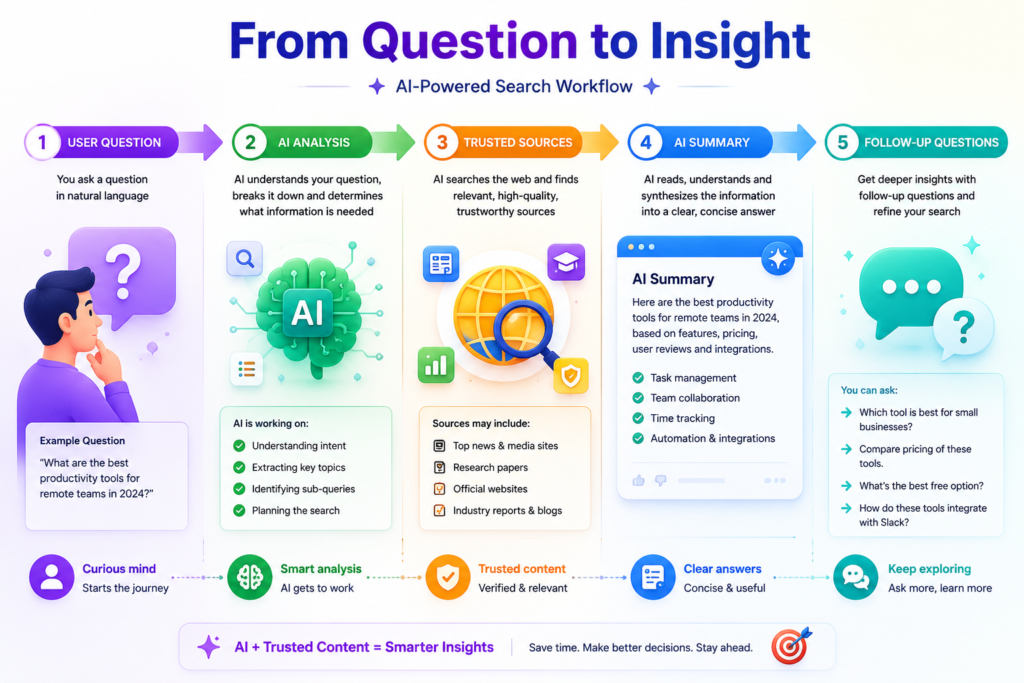
Although the technology behind Google AI Mode is highly advanced, the overall process is easy to understand.
When you type a question, Google first analyzes what you’re really asking.
Instead of matching only keywords, it tries to understand your intent.
For example:
“Best phone for travel photography.”
The system recognizes that you’re looking for recommendations rather than a definition.
Google searches across its index to identify reliable and relevant information related to your query.
It considers multiple sources instead of relying on a single webpage.
The information is organized into an easy-to-read summary.
Instead of reading several articles first, you receive an overview that highlights the most important points.
One of the most useful features is the ability to continue the conversation.
You can ask questions such as:
The conversation continues without needing to rewrite your entire search.
AI summaries are intended to save time, but they are not a replacement for original sources.
For detailed research, Google still provides links so you can verify information, compare opinions, and explore topics in greater depth.
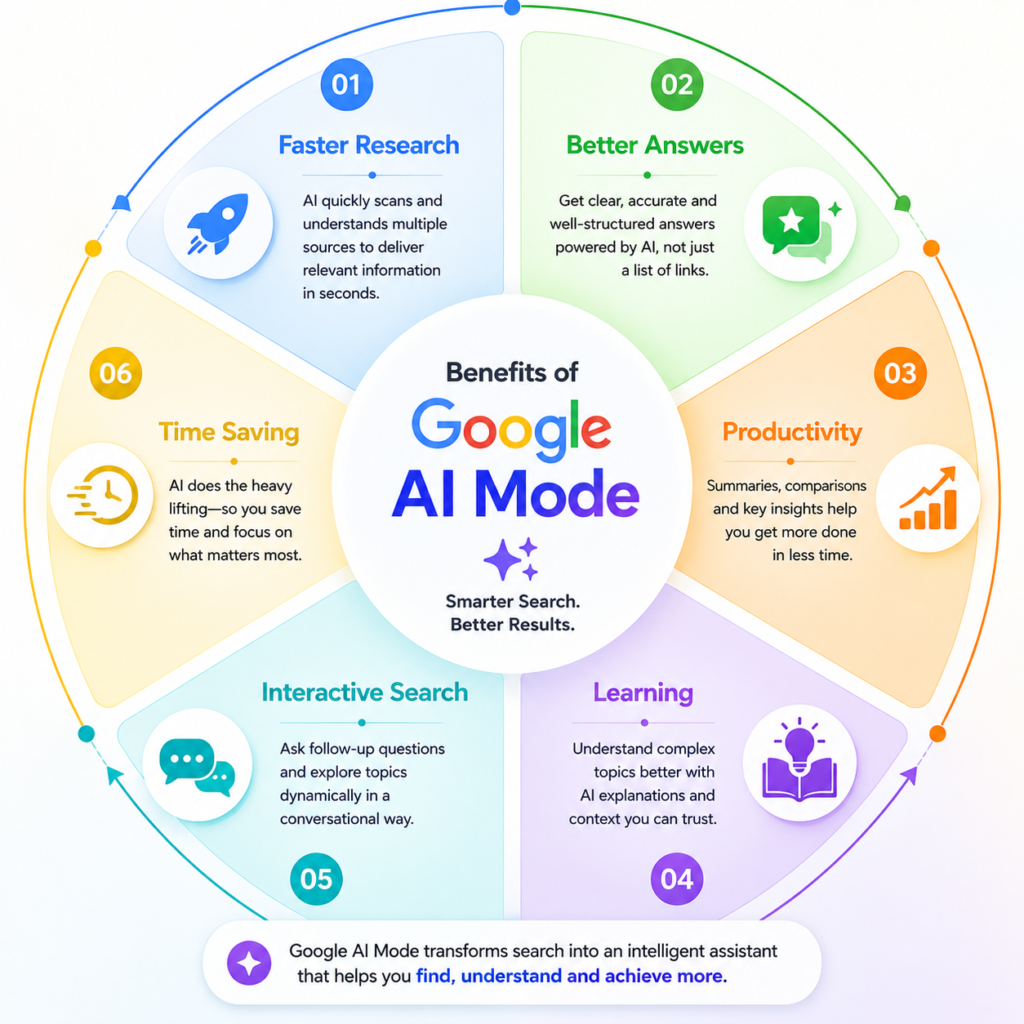
Google AI Mode introduces several improvements that make online research faster and more interactive.
You can continue asking related questions naturally instead of starting from scratch every time.
The system remembers the context of your previous questions, making follow-up searches more meaningful.
Long topics can be summarized into shorter explanations that are easier to understand.
Instead of comparing products manually across multiple tabs, AI Mode can organize important differences in a single overview.
Complex topics are often explained in simpler language, making them easier for beginners to understand.
Instead of opening ten browser tabs, users can get an overview first and then decide which sources to read in detail.
Google AI Mode offers practical advantages for different types of users.
| User | Practical Benefit |
|---|---|
| Students | Faster research and simplified explanations |
| Freelancers | Quicker market and client research |
| Small Businesses | Easier product and software comparisons |
| Everyday Users | Faster answers for daily questions |
One of the biggest strengths is reducing information overload. Instead of sorting through dozens of search results, users can begin with a structured overview before exploring individual sources.
When information is organized clearly, comparing different options becomes much easier.
For example, if you’re planning to buy a smartwatch, Google AI Mode can summarize the differences between popular models, highlight important features like battery life, fitness tracking, display quality, and pricing, and then provide links to detailed reviews.
This allows users to spend less time searching and more time making informed decisions.
Professionals often spend hours researching tools, software, competitors, or industry trends.
Google AI Mode can reduce this research time by presenting a structured overview before users dive deeper into specific resources.
Beginners sometimes struggle because search results include technical language from many different websites.
Google AI Mode often presents explanations in a simpler format, making difficult topics easier to understand before exploring advanced resources.
Although Google AI Mode is a useful technology, it is not perfect. Understanding its limitations helps you use it more effectively.
Like any AI-powered system, summaries can occasionally contain mistakes or miss important context.
For critical decisions, always verify information using official documentation or trusted sources.
Simple searches like weather forecasts, sports scores, or opening hours usually don’t require conversational AI.
Traditional search results may still be faster for straightforward questions.
Google gradually introduces new AI features across different countries, languages, and user accounts.
Some users may receive access earlier than others.
An AI-generated summary is helpful, but reading the original source remains important when accuracy is essential.
This is especially true for legal, financial, medical, and academic topics.
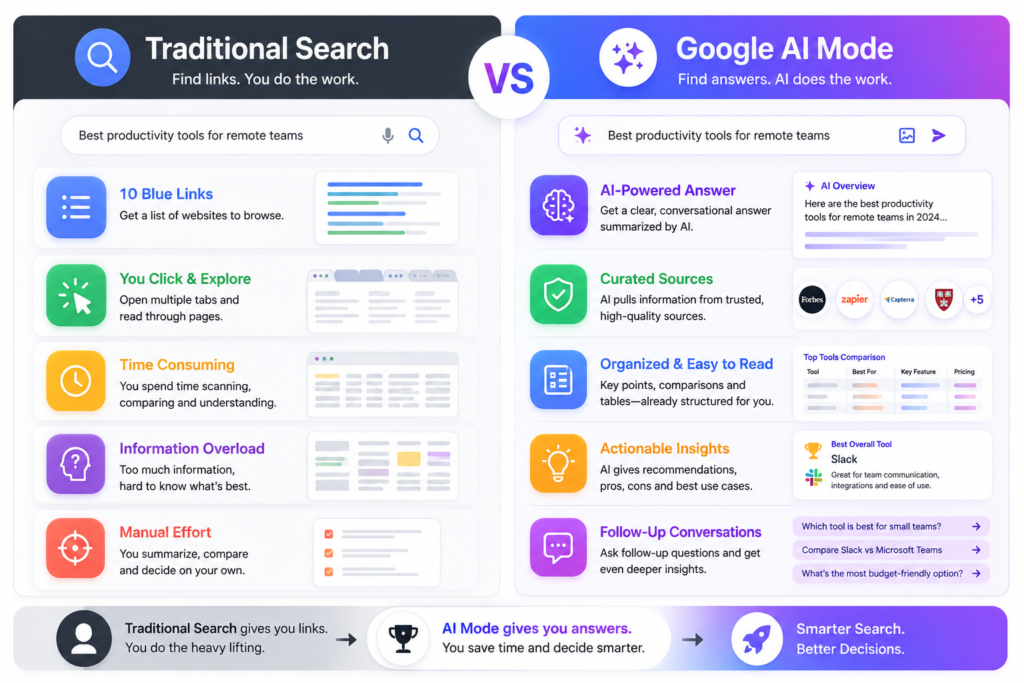
The easiest way to understand Google AI Mode is to compare it with standard Google Search.
| Feature | Traditional Search | Google AI Mode |
|---|---|---|
| Search Results | List of web pages | AI summary plus web pages |
| Follow-up Questions | New search required | Continue the conversation |
| Product Comparison | Manual | AI-assisted overview |
| Learning Experience | Depends on websites | Beginner-friendly summaries |
| Research Speed | Moderate | Faster for many topics |
Neither approach is better in every situation.
Traditional search is still excellent when you already know what you’re looking for or want to visit a specific website.
Google AI Mode is more useful when exploring a topic, comparing options, or learning something new.
A student searches:
“Explain climate change in simple words.”
Google AI Mode can provide a beginner-friendly explanation, highlight the main causes and effects, and suggest related questions such as:
A traveler searches:
“Three-day itinerary for Tokyo.”
Instead of opening multiple travel blogs, AI Mode can organize suggested attractions, transportation tips, local food recommendations, and estimated travel times into a structured overview.
A freelancer searches:
“Best project management software for small teams.”
Google AI Mode may summarize popular options, compare pricing, highlight important features, and provide links to official websites and reviews.
Someone looking for wireless earbuds can ask:
The conversation continues naturally without restarting the search.
Following a few simple practices can improve your search experience.
Instead of writing:
“Best laptop.”
Try:
“Best lightweight laptop for programming under $1,000.”
More context usually leads to more relevant answers.
Continue the conversation instead of starting over.
For example:
Even when the summary looks complete, open the original websites for additional details.
This helps you verify information and gain different perspectives.
Never rely solely on AI summaries for topics involving health, finance, legal matters, or official policies.
Always check trusted and official sources.
Google AI Mode works best when used as a research assistant rather than a final authority.
Many first-time users expect AI-powered search to replace every other research method.
Avoid these common mistakes:
Google AI Mode is an AI-powered search experience that combines conversational answers with traditional Google Search results.
Availability depends on your region, language, and Google’s rollout schedule.
No. It is designed to improve search by providing summaries and conversational assistance while still linking to original websites.
Many AI search features are available without additional payment, although availability may change depending on Google’s services and future updates.
It is generally helpful, but AI-generated summaries can occasionally contain mistakes or omit important details. Verification is always recommended.
Yes. It can simplify complex topics, suggest follow-up questions, and help organize research, but students should still reference reliable educational sources.
Yes. One of its biggest advantages is maintaining the context of your conversation so you can continue asking related questions naturally.
No. For health, legal, financial, or other high-impact decisions, always consult qualified professionals and official resources.
Google AI Mode represents a significant step forward in how people search for information online. By combining conversational AI with Google’s search technology, it helps users understand topics faster, compare options more easily, and continue exploring subjects through natural follow-up questions.
For everyday research, learning, travel planning, shopping comparisons, and productivity, it can save valuable time while making information more accessible. At the same time, responsible use remains important. AI-generated summaries should be treated as a starting point rather than the final answer, especially when accuracy is critical.
As Google continues to improve its AI-powered search experience, learning how to use Google AI Mode effectively today will help you make the most of future search innovations.
This article is published by Tivorenza.com to help readers understand technology in a simple, practical, and beginner-friendly way. We regularly update our content to keep information accurate and useful.

