Physical Address
304 North Cardinal St.
Dorchester Center, MA 02124
Physical Address
304 North Cardinal St.
Dorchester Center, MA 02124

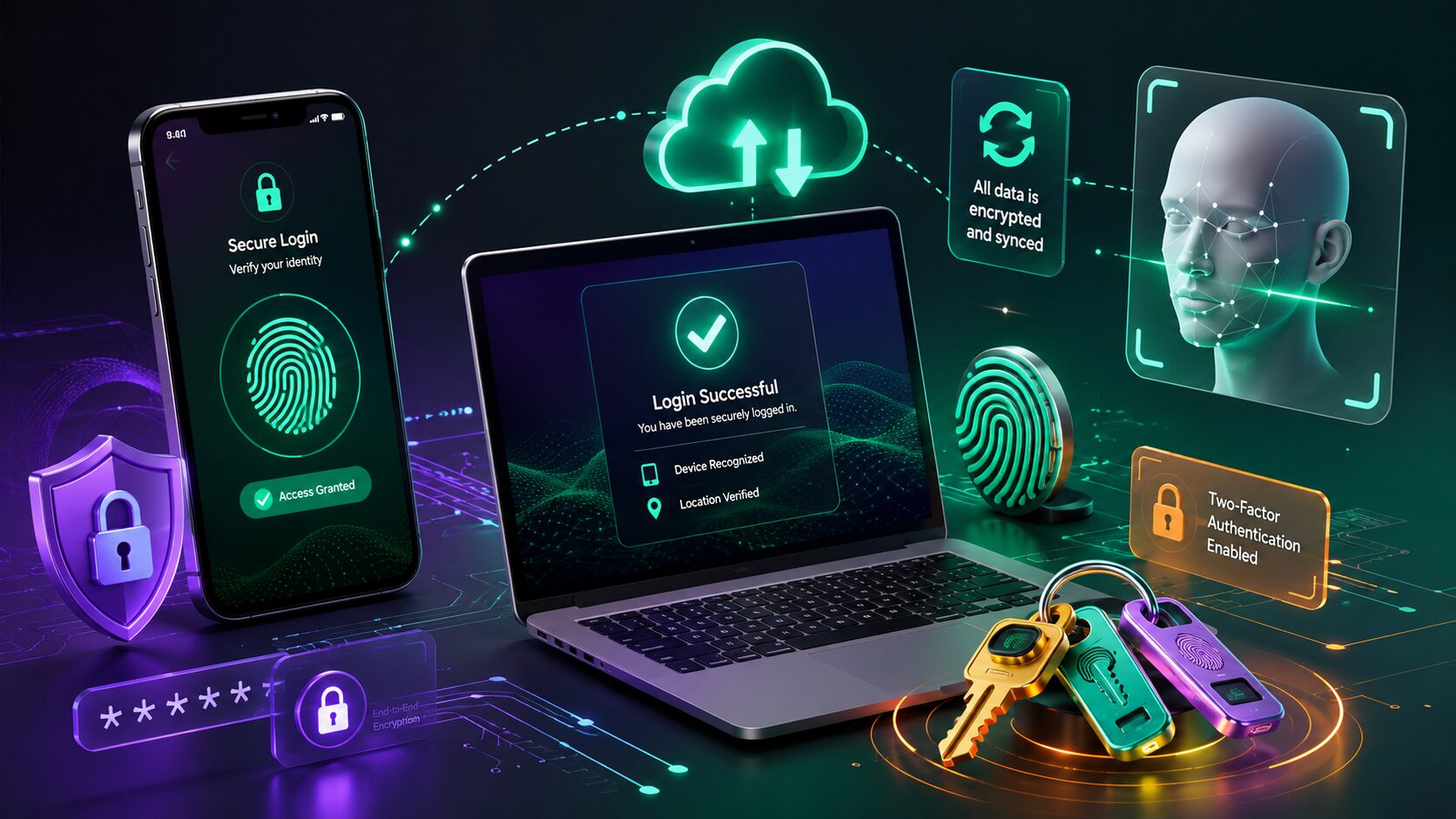
Every online account needs protection, but traditional passwords have become one of the weakest parts of internet security. People often reuse the same password across multiple websites, create passwords that are easy to guess, or forget complex combinations that are difficult to remember.
To solve these problems, major technology companies are moving toward a new login method called passkeys. Instead of typing a password, users can sign in using a fingerprint, face recognition, or their device’s screen lock. This approach is designed to be both easier and more secure.
In this guide, you’ll learn what passkeys are, how they work, why they’re replacing passwords, and how you can start using them on your own devices.
A passkey is a secure digital credential that lets you sign in to websites and apps without entering a traditional password.
Unlike passwords, passkeys rely on cryptographic technology and are stored securely on your trusted device. When you log in, your device verifies your identity using a fingerprint, facial recognition, or PIN instead of sending a password over the internet.
This makes passkeys much more resistant to common attacks such as phishing and password theft.
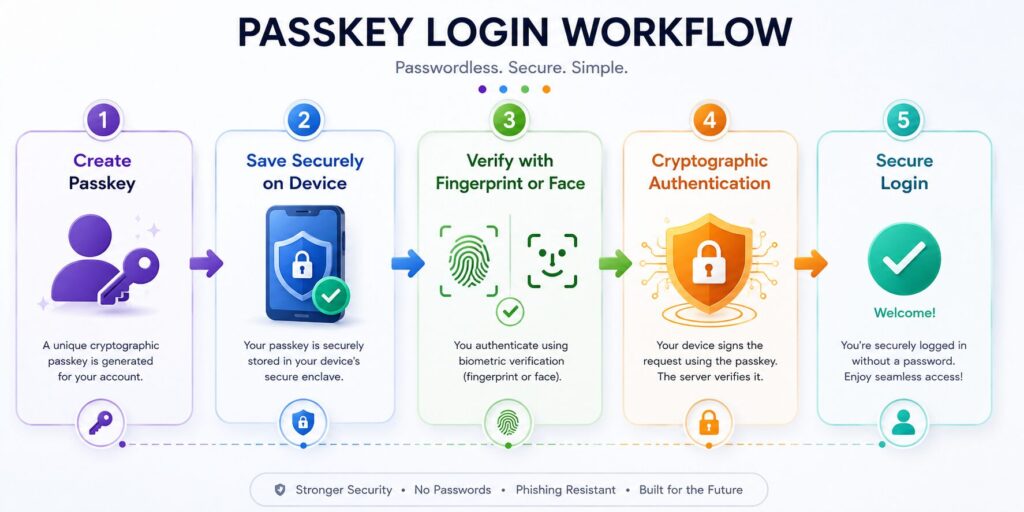
Creating and using a passkey is simple from the user’s perspective, even though the underlying technology is advanced.
When a website supports passkeys, you can choose to create one instead of using only a password.
The passkey is stored in your device’s secure hardware or encrypted password manager.
When you sign in later, your device asks for a fingerprint, face scan, or PIN.
Your device confirms your identity using cryptographic keys, allowing you to log in without exposing a password online.
Traditional passwords can be:
Passkeys greatly reduce these risks because there is no password for attackers to steal or trick you into entering on a fake website.
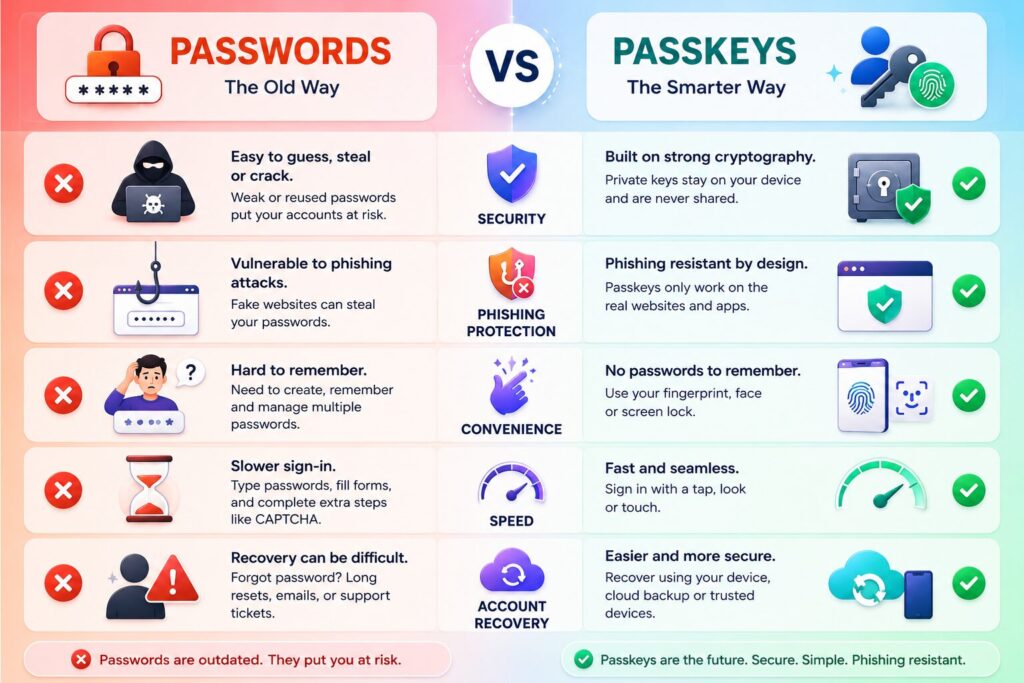
| Feature | Passwords | Passkeys |
|---|---|---|
| Easy to Remember | ❌ | ✅ |
| Phishing Protection | ❌ | ✅ |
| Strong Encryption | Limited | ✅ |
| Reuse Risk | High | None |
| Login Speed | Moderate | Fast |
Passkeys are supported on many modern devices, including:
The number of websites and apps supporting passkeys is growing every year.
Many popular services now allow users to create passkeys for faster and more secure sign-ins. As more companies adopt passwordless authentication, passkeys are expected to become a standard login method across the web.
If a website supports passkeys, you’ll usually find the option in the Security, Login, or Account Settings section.
Passkeys offer several advantages over traditional passwords.
Instead of typing a long password, you simply verify your identity with your fingerprint, face, or device PIN.
This makes logging in much quicker, especially on mobile devices.
Passkeys use strong cryptographic technology that makes them far more difficult to steal than passwords.
Even if a hacker creates a fake login page, a passkey cannot simply be typed into it.
Many people struggle to remember dozens of passwords.
With passkeys, you don’t need to memorize complex combinations or frequently reset forgotten passwords.
Phishing attacks trick users into entering passwords on fake websites.
Because passkeys work only with the legitimate website they were created for, they significantly reduce the risk of these attacks.
Many ecosystems allow passkeys to sync securely across your trusted devices, making it easier to sign in whether you’re using a phone, tablet, or computer.
Setting up passkeys usually takes only a few minutes.
Ensure your smartphone, tablet, or computer supports biometric authentication or a secure device PIN.
Visit the security settings of a supported website or app.
Look for options such as:
Follow the on-screen instructions.
Your device may ask you to verify your fingerprint, face, or PIN.
The passkey is securely stored on your device or synchronized through your trusted account ecosystem, depending on your settings.
Sign out and log back in to confirm that your passkey works correctly.
Not always.
Many services currently support both passwords and passkeys while users gradually transition to passwordless authentication.
For this reason, you may still need your password in situations such as:
Over time, more services are expected to rely primarily on passkeys.
Passkeys are easier to use than passwords, but users should still follow good security practices.
Avoid these common mistakes:
Using passkeys responsibly helps keep your accounts secure.
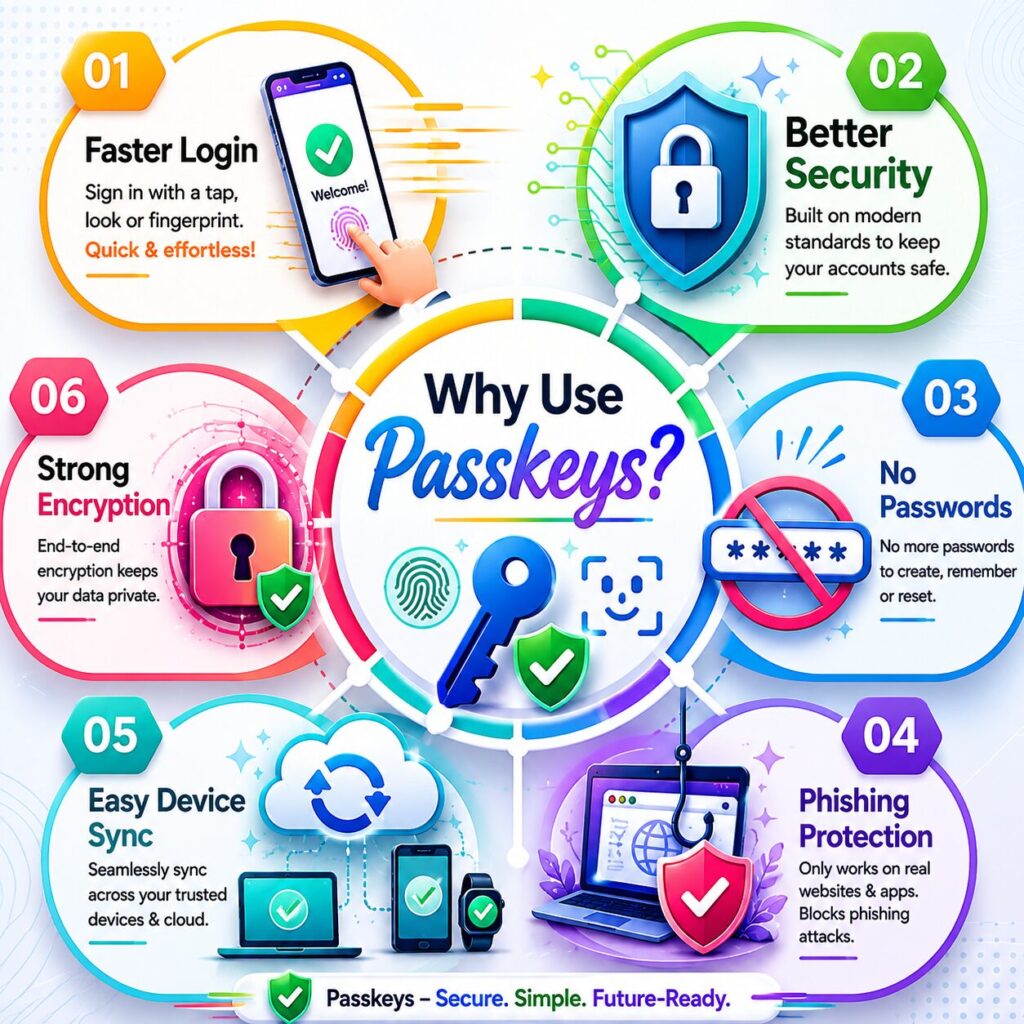
Passkeys are secure digital credentials that let you sign in without typing a traditional password.
Yes. Passkeys provide stronger protection against phishing, password theft, and credential reuse.
You generally need an internet connection to sign in to online services, but the authentication process itself uses secure cryptographic technology stored on your device.
If your passkeys are synchronized through a trusted ecosystem and you have recovery options enabled, you can usually restore access on a new device after verifying your identity.
Yes. Many websites currently support both passwords and passkeys.
Yes. Most platforms that support passkeys allow users to create and use them without additional cost.
Many modern Android devices, iPhones, Windows PCs, Macs, and updated web browsers support passkeys.
If your devices and online accounts support them, passkeys offer a simpler and more secure alternative to traditional passwords for most users.
Passkeys Explained is more than just a technology trend—it represents a major shift in how people protect their online accounts. Instead of relying on passwords that can be forgotten, reused, or stolen, passkeys use secure cryptographic authentication combined with your trusted device to make sign-ins both easier and safer.
For everyday internet users, the biggest advantages are convenience and stronger security. Logging in with a fingerprint or face scan is faster than typing complex passwords, while the underlying technology helps protect against common attacks like phishing and credential theft.
Although passwords won’t disappear overnight, passkeys are becoming increasingly common across websites, apps, and operating systems. Learning how they work now will help you stay prepared for the future of online authentication.
This article is published by Tivorenza.com to help readers understand technology in a simple and practical way. We regularly update our guides to keep information accurate, beginner-friendly, and useful for modern internet users.

