Physical Address
304 North Cardinal St.
Dorchester Center, MA 02124
Physical Address
304 North Cardinal St.
Dorchester Center, MA 02124


Every time you browse the internet, search for information, post on social media, shop online, or sign up for a new website, you leave behind small pieces of information. These pieces of information form your digital footprint.
Many people don’t realize how much personal information they share online. Some of it is shared intentionally, while other information is collected automatically by websites, apps, and online services.
Understanding What Is Digital Footprint is becoming increasingly important because your online activity can affect your privacy, security, reputation, and even future opportunities.
In this guide, you’ll learn what a digital footprint is, how it’s created, the different types of digital footprints, why it matters, and practical steps you can take to better protect your online privacy.
A digital footprint is the collection of information created by your activities on the internet.
Whenever you:
you create data that contributes to your digital footprint.
Some information is intentionally shared by you, while other data is collected automatically through technologies like cookies, analytics tools, and device identifiers.
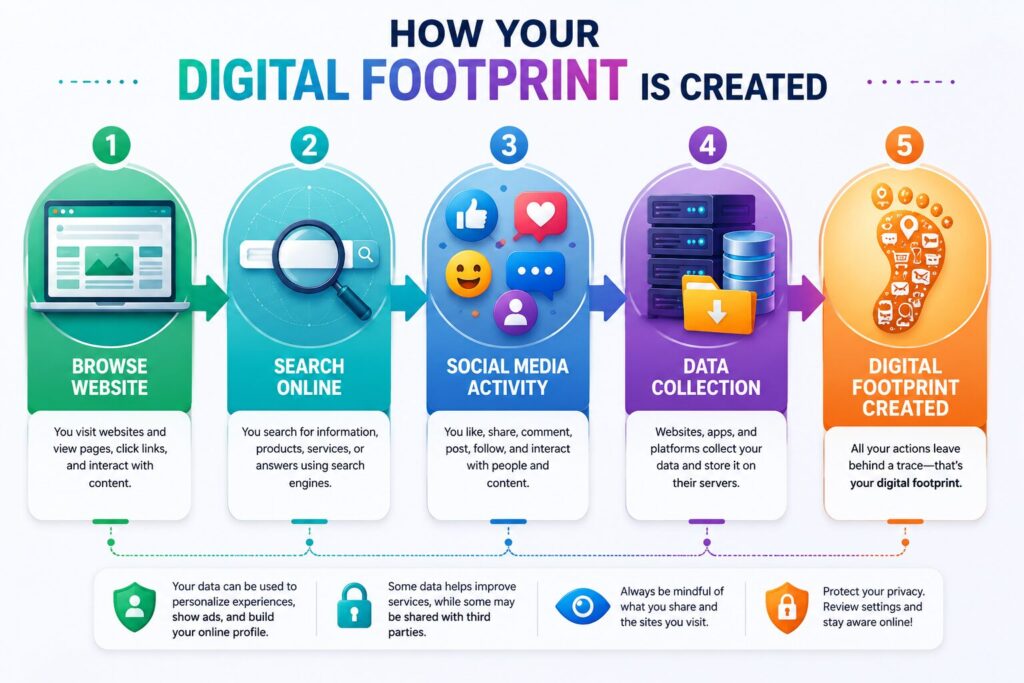
Every online action creates data.
A typical process looks like this:
You visit a website.
The website records information such as your browser type, device, and visit time.
If you log in or fill out a form, additional information may be stored.
Cookies and analytics tools may remember certain preferences to improve your future experience.
Over time, these activities combine to create your digital footprint.
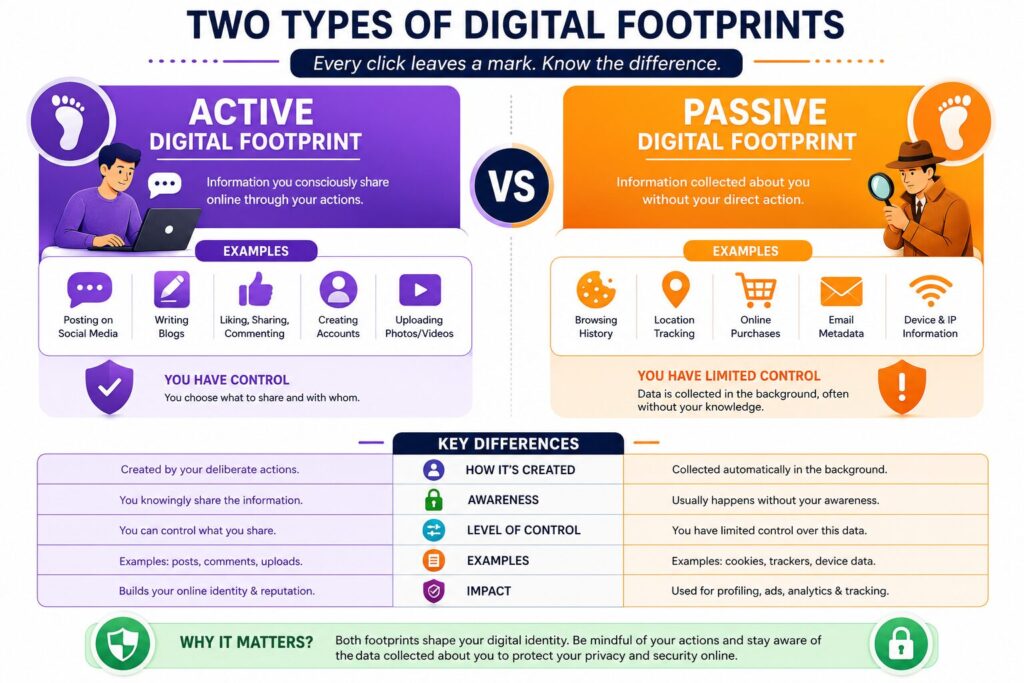
| Active Digital Footprint | Passive Digital Footprint |
|---|---|
| Social media posts | Browser information |
| Comments | IP address |
| Online reviews | Cookies |
| Uploaded photos | Device information |
| Emails | Website analytics |
| Form submissions | Location data (when permitted) |
Your active footprint comes from information you intentionally share, while your passive footprint is often collected automatically as you use online services.
Your digital footprint can influence:
A well-managed digital footprint helps you maintain better control over your personal information.
Many people think social media is the only source of a digital footprint, but that’s only one part of the picture.
Your digital footprint is created through many everyday online activities.
Every photo, comment, reaction, and profile update contributes to your online presence.
Even posts you later delete may have already been copied, shared, or archived.
Search engines record search queries to improve results and personalize your experience.
Although this can make searching more convenient, it also becomes part of your online activity.
Shopping websites often store information such as:
This data helps provide recommendations but also becomes part of your digital footprint.
Many apps request access to:
Granting unnecessary permissions may increase the amount of personal information collected.
Email providers store messages, attachments, contact information, and account activity to deliver their services securely.
A digital footprint isn’t always a bad thing. When managed responsibly, it can offer several advantages.
Professionals, freelancers, and business owners can build credibility by sharing helpful content and maintaining professional profiles.
Regularly reviewing your online accounts helps identify old services, unnecessary permissions, and outdated information.
Understanding what information is shared allows you to make better privacy decisions.
Reducing unnecessary data exposure lowers the chances of identity theft and targeted scams.
Managing cookies, permissions, and account settings can improve both privacy and browsing performance.
The more personal information available online, the greater the potential risks.
Common risks include:
Cybercriminals may combine publicly available information to impersonate someone or attempt fraud.
Scammers often use publicly available information to create convincing fake emails and messages.
Oversharing personal details can expose information you never intended to make public.
Many online services personalize advertisements based on browsing behavior and online interests.
Old posts, comments, or photos may continue to appear online long after you’ve forgotten about them.
Managing your digital footprint doesn’t require advanced technical knowledge.
Small habits can make a big difference.
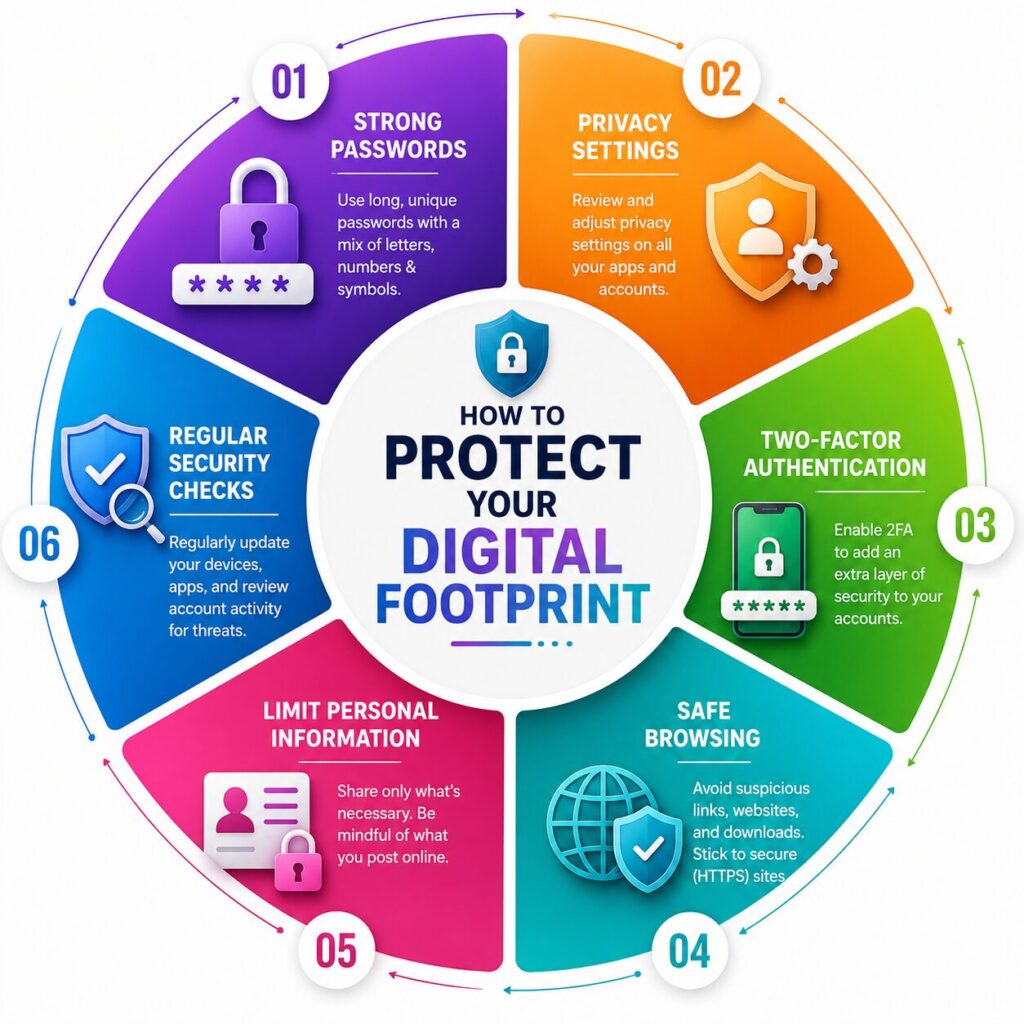
Regularly check the privacy settings of your social media accounts and apps.
Limit who can view your personal information.
Create unique passwords for important accounts and avoid reusing the same password across multiple websites.
Adding an extra verification step helps protect your accounts even if your password is compromised.
Delete accounts you no longer use to reduce the amount of personal information stored online.
Before posting photos, personal updates, or location information, consider whether you’re comfortable with that information remaining online.
Regular updates often include important security improvements that help protect your personal information.
Many internet users unintentionally increase their digital footprint.
Avoid these common mistakes:
Building good online habits helps reduce unnecessary risks.
A digital footprint is the collection of information created by your online activities, including browsing, social media, shopping, and email usage.
No. A positive digital footprint can help build a professional reputation, while an unmanaged footprint may create privacy and security risks.
Not always. While you can delete some accounts and content, certain information may remain in backups, archives, or third-party systems.
Review privacy settings, remove unused accounts, limit personal information sharing, and regularly check your online presence.
Private browsing mainly prevents local browsing history from being stored on your device. It does not make you invisible online.
Cookies help websites remember preferences, improve functionality, and personalize your browsing experience.
Publicly available information may be visible to employers or recruiters, depending on your privacy settings and online activity.
Yes. Businesses use digital footprints to build trust, improve customer experiences, and strengthen their online reputation.
Understanding What Is Digital Footprint is an important step toward becoming a safer and more responsible internet user. Every search, download, social media post, and online purchase contributes to the information connected to your digital identity.
While it’s impossible to avoid creating a digital footprint completely, you can control much of what you share by using strong security practices, reviewing privacy settings, and thinking carefully before posting personal information online.
By managing your digital footprint wisely, you’ll improve your online privacy, strengthen your account security, and build a more positive digital presence for the future.
This article is published by Tivorenza.com to help readers understand technology in a simple and practical way. We regularly update our guides to keep information accurate, beginner-friendly, and useful for everyday internet users.

