Physical Address
304 North Cardinal St.
Dorchester Center, MA 02124
Physical Address
304 North Cardinal St.
Dorchester Center, MA 02124

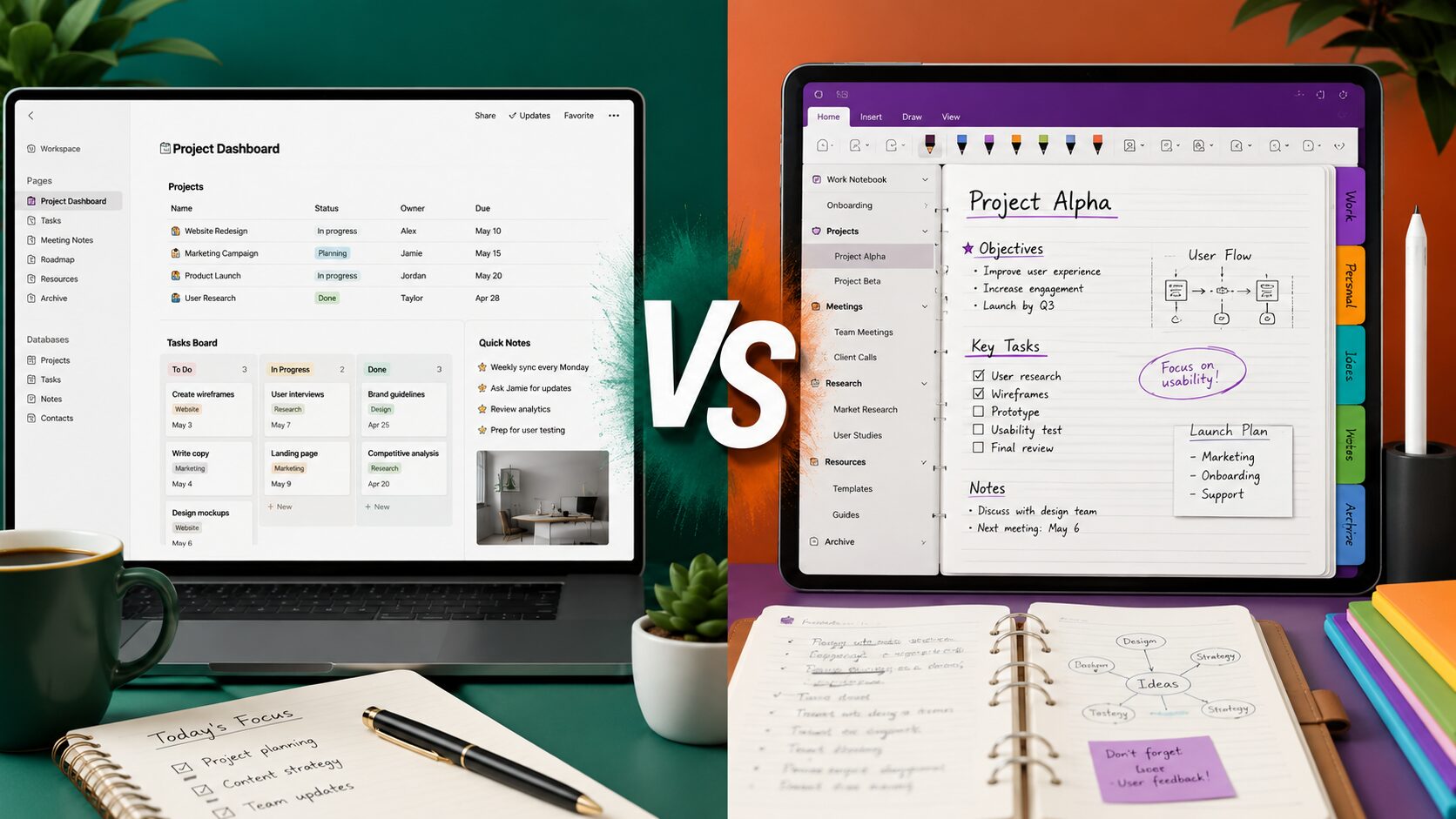
Taking notes is no longer limited to paper notebooks. Today, digital note-taking apps help students organize study materials, freelancers manage client projects, businesses collaborate with teams, and individuals keep track of daily tasks. Two of the most popular options are Notion and Microsoft OneNote.
Although both applications help you capture information, they are designed for different types of users. One focuses on building an all-in-one workspace with databases and project management tools, while the other provides a familiar digital notebook experience that’s perfect for handwritten notes and structured organization.
If you’re unsure which app better suits your workflow, this comparison will help you understand the strengths and weaknesses of both.
In this guide, we’ll compare Notion vs OneNote based on features, ease of use, collaboration, pricing, customization, and overall productivity to help you make the right choice.
Both applications are designed for organizing information, but they approach the task differently.
Notion combines note-taking, task management, databases, calendars, wikis, and project planning into a single workspace.
Instead of creating simple notes, users can build interconnected pages, create knowledge bases, manage projects, and collaborate with teams.
It has become especially popular among startups, freelancers, students, and content creators.
Microsoft OneNote is a digital notebook that closely resembles traditional paper notebooks.
Users organize notes into:
It also supports handwriting, drawing, audio recording, and quick note-taking, making it particularly useful for classrooms and meetings.
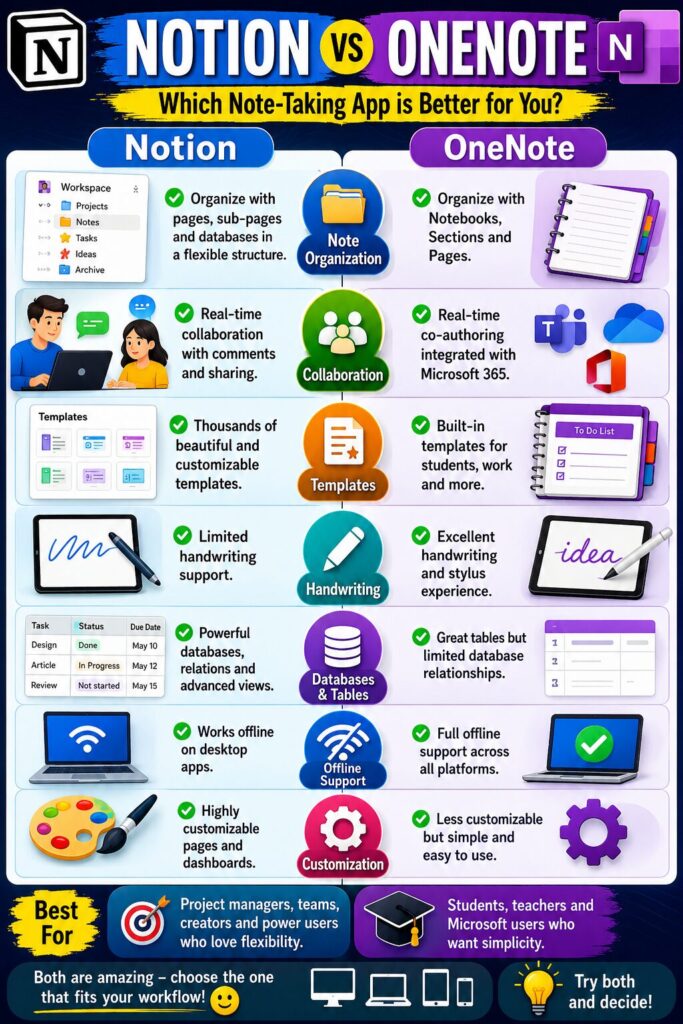
| Feature | Notion | OneNote |
|---|---|---|
| Rich Text Notes | ✅ | ✅ |
| Handwriting Support | Limited | Excellent |
| Databases | ✅ | ❌ |
| Task Management | Excellent | Basic |
| Templates | Excellent | Good |
| Offline Support | Good | Excellent |
| Team Collaboration | Excellent | Good |
| Microsoft 365 Integration | Limited | Excellent |
OneNote feels familiar to anyone who has used physical notebooks. Its layout is simple, making it easy for beginners to start taking notes immediately.
Notion has a steeper learning curve because it offers many advanced features such as databases, linked pages, custom templates, and project dashboards.
However, once users become comfortable with it, Notion offers much greater flexibility.
OneNote organizes information using notebooks, sections, and pages.
Notion allows users to build completely customized workspaces with linked databases, kanban boards, calendars, tables, and nested pages.
For users managing large projects, Notion generally provides more powerful organizational tools.
Collaboration is one of the biggest differences between these two applications.
Notion is designed with teamwork in mind.
Teams can:
These features make it popular among startups, marketing teams, software developers, and remote businesses.
OneNote also supports collaboration, especially through Microsoft 365 and OneDrive.
Multiple users can edit the same notebook, making it useful for classroom projects, meeting notes, and shared documentation.
However, it focuses more on note sharing than complete project management.
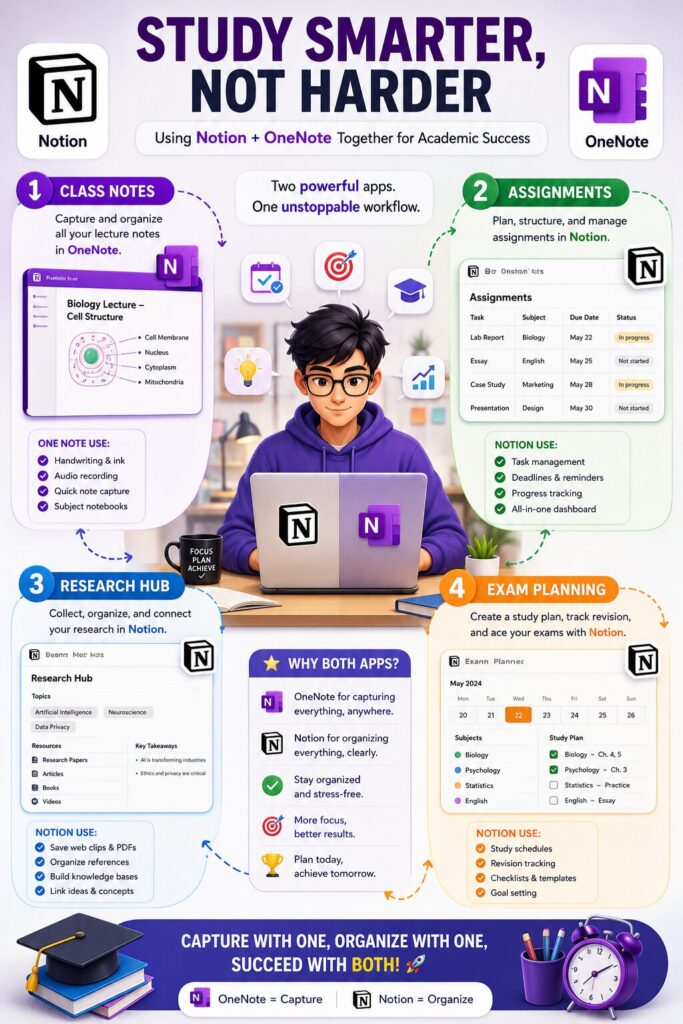
Students often have different requirements than professionals.
| Requirement | Notion | OneNote |
|---|---|---|
| Class Notes | ⭐⭐⭐⭐ | ⭐⭐⭐⭐⭐ |
| Research Organization | ⭐⭐⭐⭐⭐ | ⭐⭐⭐⭐ |
| Assignment Tracking | ⭐⭐⭐⭐⭐ | ⭐⭐⭐ |
| Handwritten Notes | ⭐⭐ | ⭐⭐⭐⭐⭐ |
| Study Planning | ⭐⭐⭐⭐⭐ | ⭐⭐⭐⭐ |
| Exam Preparation | ⭐⭐⭐⭐ | ⭐⭐⭐⭐ |
If you primarily type notes and organize study materials, Notion is an excellent choice.
If you regularly use a stylus for handwriting, diagrams, or mathematical equations, OneNote offers a much better experience.
Professionals often need more than simple note-taking.
Both apps offer free versions, but premium features differ.
| Feature | Notion | OneNote |
|---|---|---|
| Free Version | Yes | Yes |
| Paid Plans | Available | Included with Microsoft 365 |
| Team Plans | Yes | Yes |
| Cloud Sync | Yes | Yes |
| Cross-Platform Support | Yes | Yes |
For individual users, both free versions are powerful enough for everyday note-taking.
Businesses that already subscribe to Microsoft 365 may find OneNote more cost-effective.
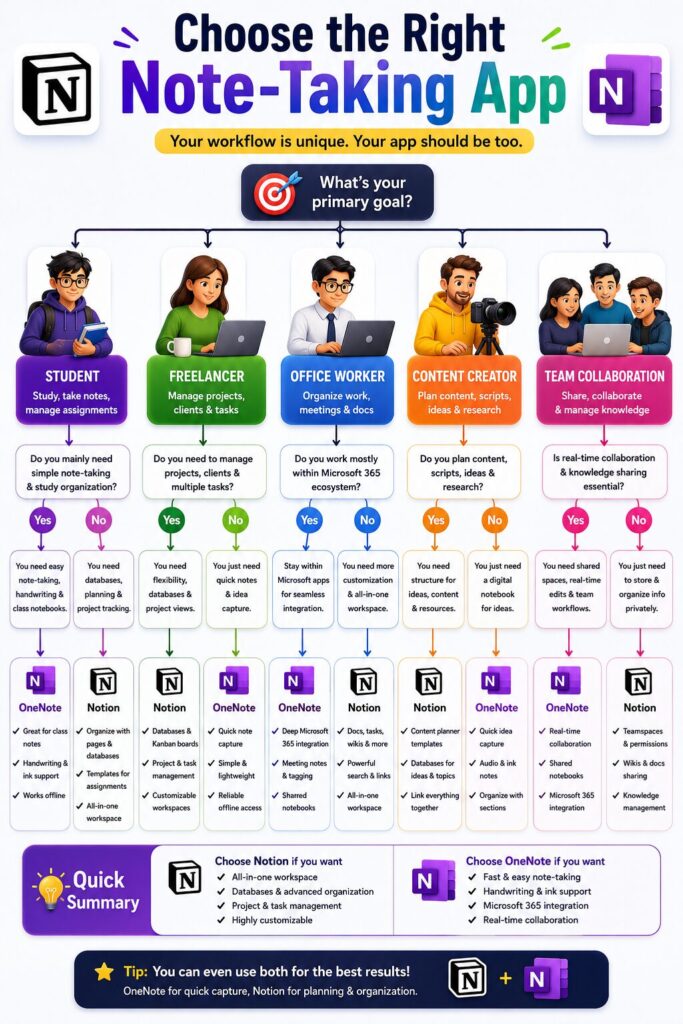
The right choice depends on how you work.
Choose Notion if you want:
Choose OneNote if you want:
Neither application is universally better. Each excels in different situations.
Many users switch apps without understanding their own needs.
Avoid these common mistakes:
Trying both free versions for a few days is often the best way to decide.
It depends on your needs. Notion is better for project management and organization, while OneNote is stronger for handwritten notes and Microsoft integration.
Yes. Notion offers a generous free plan for personal use, with paid plans available for advanced features and teams.
Yes. OneNote is free to use, and additional features are available through Microsoft 365.
Students who type notes and organize research may prefer Notion. Those who use a stylus for handwritten notes often prefer OneNote.
Businesses managing projects, documentation, and collaboration usually benefit more from Notion’s flexible workspace.
Yes. Some users organize projects in Notion while keeping handwritten notes and meeting notes in OneNote.
Yes. OneNote provides excellent offline support, and changes are synchronized once you’re back online.
Notion has a steeper learning curve than OneNote, but its flexibility becomes a major advantage once you understand the basics.
Choosing between Notion vs OneNote depends less on which application is more popular and more on how you plan to use it. Both are powerful note-taking tools, but they serve different audiences.
If you want a flexible workspace for managing projects, tasks, databases, and collaboration, Notion is the stronger option. It works especially well for freelancers, startups, content creators, and remote teams.
If your priority is handwritten notes, classroom organization, meeting documentation, or seamless integration with Microsoft 365, OneNote remains one of the best digital notebook applications available.
The good news is that both applications offer free versions, allowing you to test them before committing. Spend a few days using each one, and you’ll quickly discover which fits your workflow best.
This article is published by Tivorenza.com to help readers understand technology in a simple and practical way. We regularly update our software reviews to keep them accurate, beginner-friendly, and useful for students, professionals, freelancers, and everyday users.

