Physical Address
304 North Cardinal St.
Dorchester Center, MA 02124
Physical Address
304 North Cardinal St.
Dorchester Center, MA 02124

Modern websites are no longer limited to displaying simple text and images. Today’s web applications power AI tools, browser-based games, 3D design software, video editors, engineering simulations, and interactive visualizations. To support these demanding workloads, browsers need a faster and more efficient way to communicate with a computer’s graphics hardware.
That’s exactly why WebGPU was developed.
Unlike older web graphics technologies, WebGPU gives web applications more direct and efficient access to your computer’s graphics processing unit (GPU). This allows developers to build faster websites, smoother 3D experiences, and even run certain AI workloads directly inside a browser without installing additional software.
In this guide, you’ll learn What Is WebGPU, how it works, how it compares with WebGL, its biggest advantages, browser support, and why it’s considered one of the most important web technologies for the future.
What Is WebGPU? WebGPU is a modern web API that allows browsers to communicate more efficiently with a computer’s Graphics Processing Unit (GPU). It enables web applications to render advanced graphics, perform parallel computing tasks, and accelerate AI workloads with much better performance than older web graphics technologies.
Unlike WebGL, which was primarily designed for rendering graphics, WebGPU is built for both graphics rendering and general-purpose GPU computing. This means developers can use it not only for 3D graphics but also for machine learning, scientific simulations, image processing, and other computationally intensive tasks.
Because WebGPU reduces communication overhead between the browser and the GPU, applications can achieve smoother performance and better resource utilization.
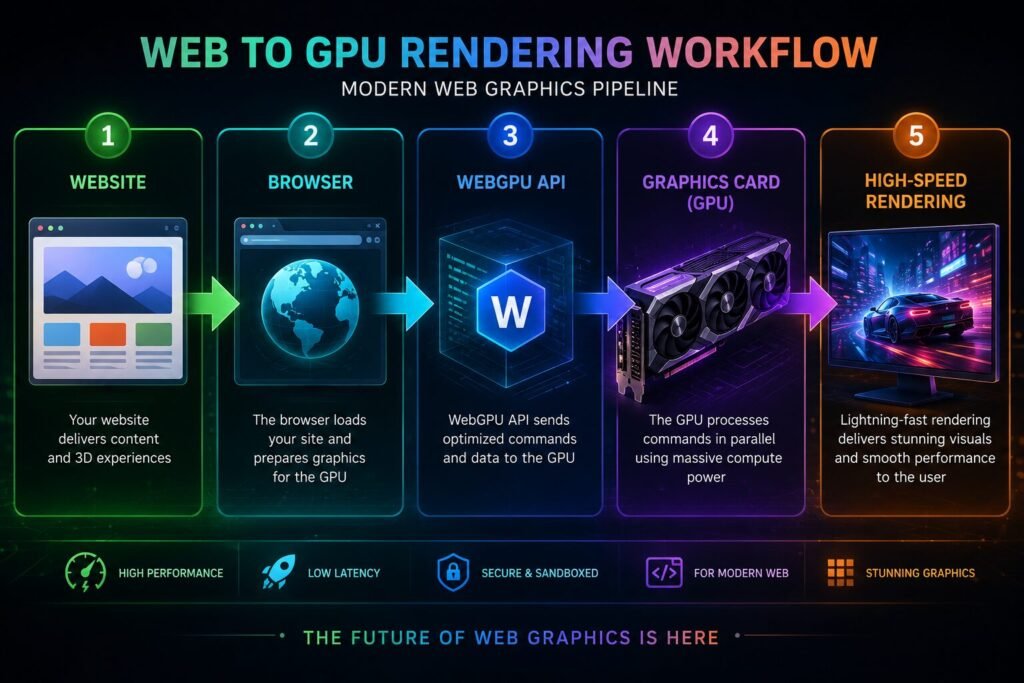
Although the underlying technology is sophisticated, the basic workflow is easy to understand.
A user visits a website or launches a browser-based application that supports WebGPU.
The browser verifies whether WebGPU is available and whether the graphics hardware supports the required features.
Instead of relying heavily on the CPU, WebGPU sends optimized rendering and computing commands directly to the graphics processor.
The GPU handles graphics rendering or parallel computations much faster than a CPU for many types of tasks.
The processed graphics or computed results are presented smoothly in the browser.
This efficient workflow allows modern web applications to perform tasks that previously required native desktop software.
WebGPU introduces several capabilities that improve both graphics quality and application performance.
WebGPU provides developers with greater control over rendering resources, allowing them to build more efficient graphics engines.
In addition to rendering graphics, WebGPU supports compute workloads such as:
Reduced CPU overhead allows applications to make better use of modern graphics hardware.
Developers can manage GPU memory and workloads more efficiently than with previous web graphics APIs.
WebGPU is designed to work across multiple operating systems and modern browsers that implement the standard.
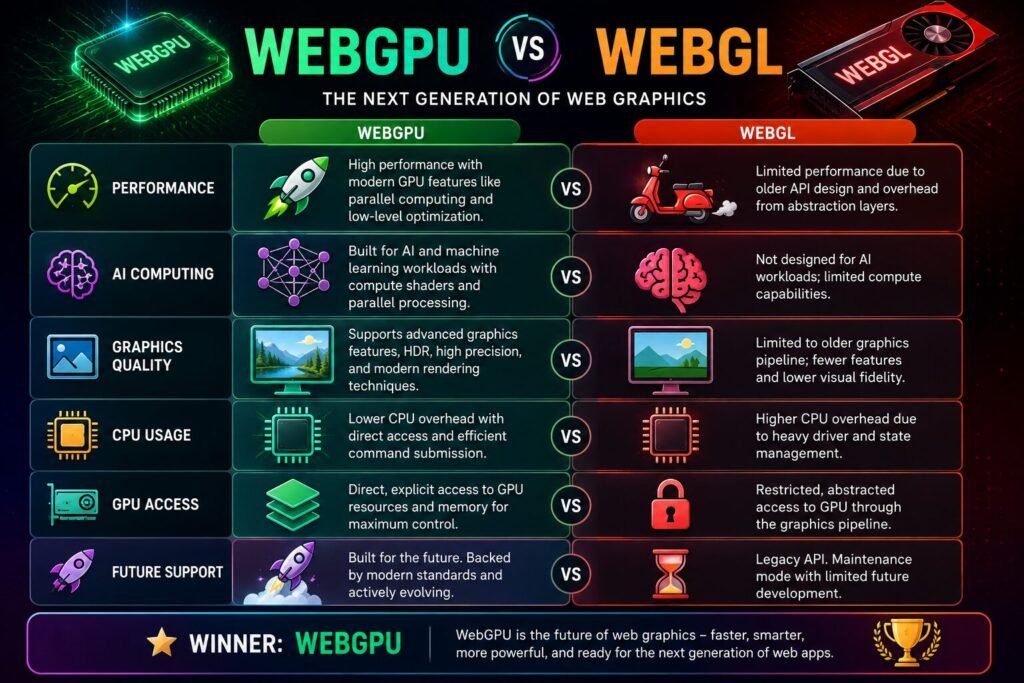
Although both technologies enable graphics in the browser, they serve different generations of web applications.
| Feature | WebGPU | WebGL |
|---|---|---|
| Graphics Performance | Excellent | Good |
| GPU Computing | ✅ | Limited |
| AI Workloads | Excellent | Limited |
| CPU Overhead | Lower | Higher |
| Modern API Design | ✅ | Older Design |
| Future Web Development | Primary Focus | Legacy Support |
WebGPU is not simply a replacement for WebGL; it is a more capable platform designed for the next generation of browser applications.
Modern websites and web applications benefit in several important ways.
Games, simulations, and interactive visualizations render more smoothly.
Some machine learning models can run directly inside the browser using GPU acceleration.
By shifting suitable workloads to the GPU, the processor has more resources available for other tasks.
Developers can build sophisticated browser-based software that was previously practical only as desktop applications.
Well-optimized GPU workloads can improve overall efficiency for certain tasks, although actual battery life depends on the application and hardware.
WebGPU is already enabling new possibilities across different industries.
Developers can create more detailed graphics, realistic lighting, and smoother gameplay.
AI image editing, language processing, and other machine learning features can execute more efficiently inside the browser.
Complex 3D models become easier to render and manipulate without installing dedicated desktop software.
Researchers and healthcare professionals can display high-resolution medical models and simulations directly in web applications.
Interactive science experiments, virtual laboratories, and 3D learning experiences become more responsive and engaging.
Support for WebGPU continues to expand.
Modern versions of several major browsers have introduced WebGPU support or are actively implementing it. Availability may vary depending on the browser version, operating system, and graphics hardware.
Before relying on WebGPU for production work, developers should verify compatibility with their target browsers and devices.
Despite its advantages, WebGPU is still evolving.
Older graphics cards may not support all WebGPU features.
Some browsers and operating systems may require newer versions before full support becomes available.
Developers familiar with WebGL may need time to understand the new programming model.
Simply switching to WebGPU does not automatically improve performance. Applications must be designed to use GPU resources efficiently.
When learning about WebGPU, avoid these misconceptions:
Understanding these differences helps developers make better implementation decisions.
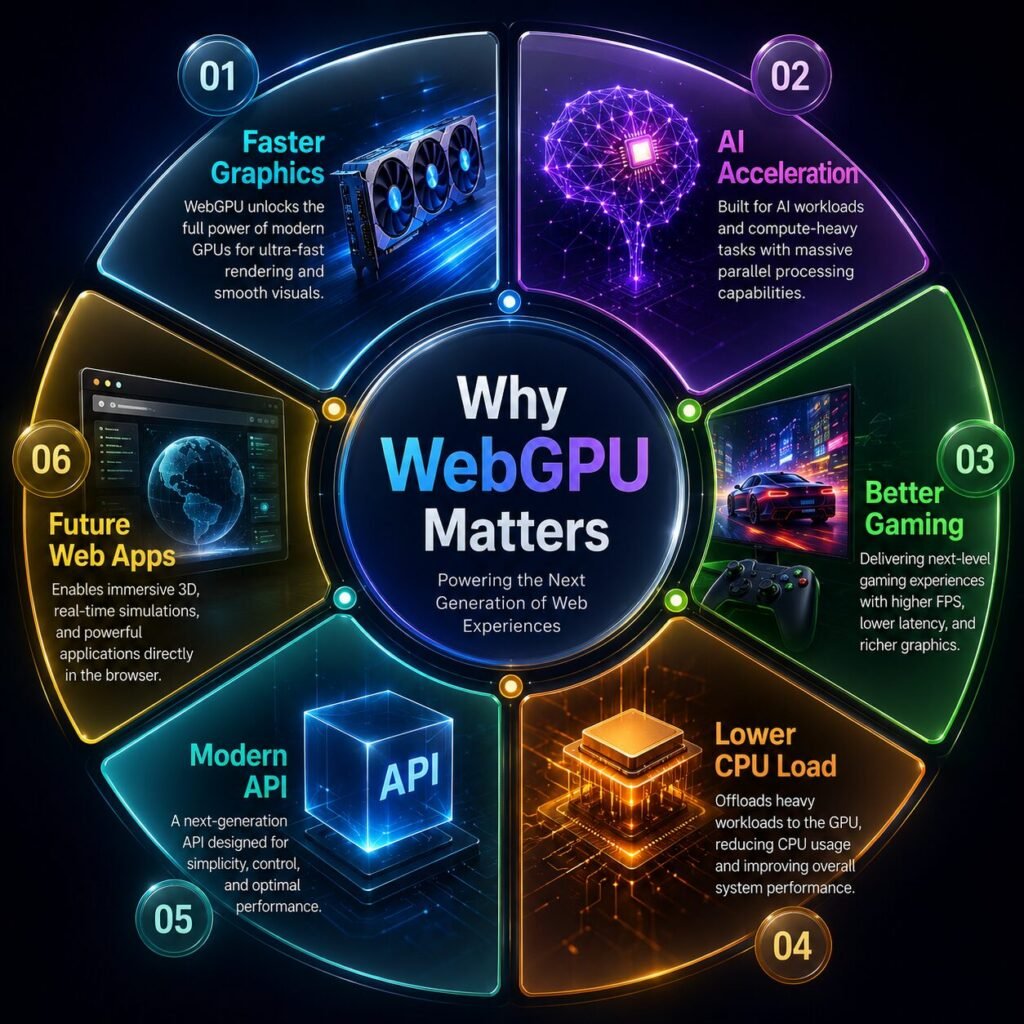
WebGPU is a modern browser API that provides efficient access to a computer’s graphics processor for graphics rendering and GPU computing.
WebGPU is designed as the next generation of web graphics technology, but WebGL continues to be supported by many browsers and applications.
It enables faster graphics, AI acceleration, improved performance, and more advanced browser applications.
Yes. Many AI frameworks are beginning to use WebGPU to accelerate certain machine learning tasks directly inside the browser.
Not always. Some integrated GPUs also support WebGPU, although performance depends on the hardware.
Support varies by browser version and operating system. Developers should check current compatibility before deployment.
Yes. It enables better graphics performance and more efficient rendering for browser-based games.
While developers build applications using WebGPU, everyday users benefit through faster websites, smoother graphics, and more capable browser-based software.
Understanding What Is WebGPU provides a glimpse into the future of the web. As websites evolve into powerful applications capable of running AI models, advanced graphics, engineering tools, and immersive experiences, traditional browser technologies are no longer enough. WebGPU offers a modern approach that unlocks the full potential of today’s graphics hardware.
For developers, it opens the door to creating faster and more sophisticated web applications. For users, it means smoother performance, richer graphics, and browser experiences that increasingly rival native desktop software. As browser support continues to mature, WebGPU is expected to become a key technology shaping the next generation of the web.
This article is published by Tivorenza.com to help readers understand modern technology through practical, beginner-friendly guides. We regularly publish in-depth articles on AI, software, internet technologies, cybersecurity, and emerging tech trends to keep you informed about the rapidly evolving digital world.

