Physical Address
304 North Cardinal St.
Dorchester Center, MA 02124
Physical Address
304 North Cardinal St.
Dorchester Center, MA 02124

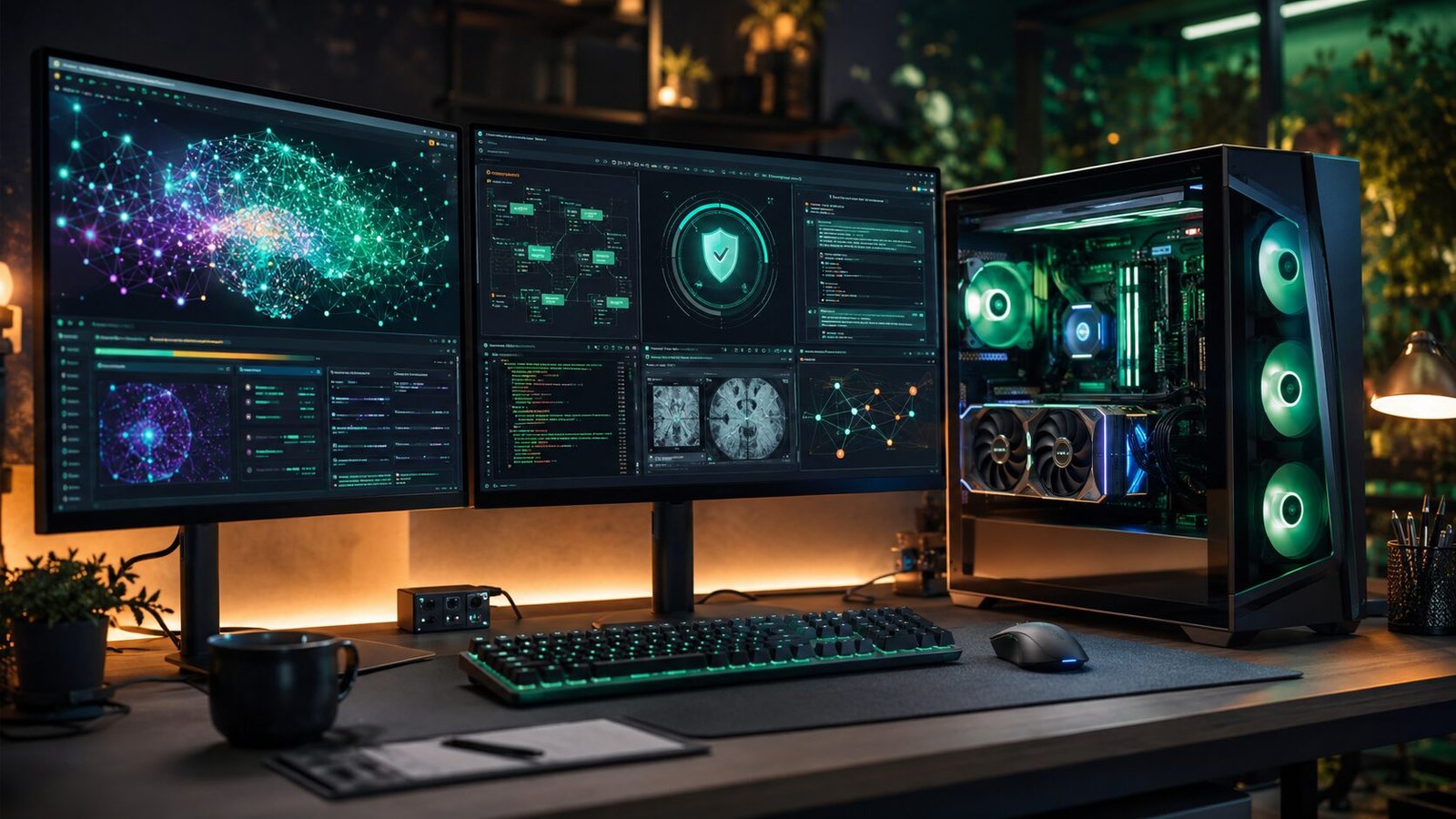
For the last few years, using AI has usually meant opening a website, signing in, and sending your prompt to a remote server. That’s still how millions of people use AI every day—but something interesting has started happening in the background.
A growing number of developers, researchers, photographers, programmers, and privacy-conscious users are choosing to run AI directly on their own computers instead.
If you’ve seen tools that promise “offline AI,” “private AI,” or “run AI locally,” they’re all built around the same idea: local AI models.
This shift isn’t happening because cloud AI is suddenly bad. In fact, cloud-based AI remains the easiest option for most people. But local AI offers something the cloud can’t always provide—greater control over your data, predictable performance, and the freedom to experiment without depending on an internet connection.
Understanding how local AI works will help you decide whether it’s worth trying or whether cloud-based services are still the better fit.
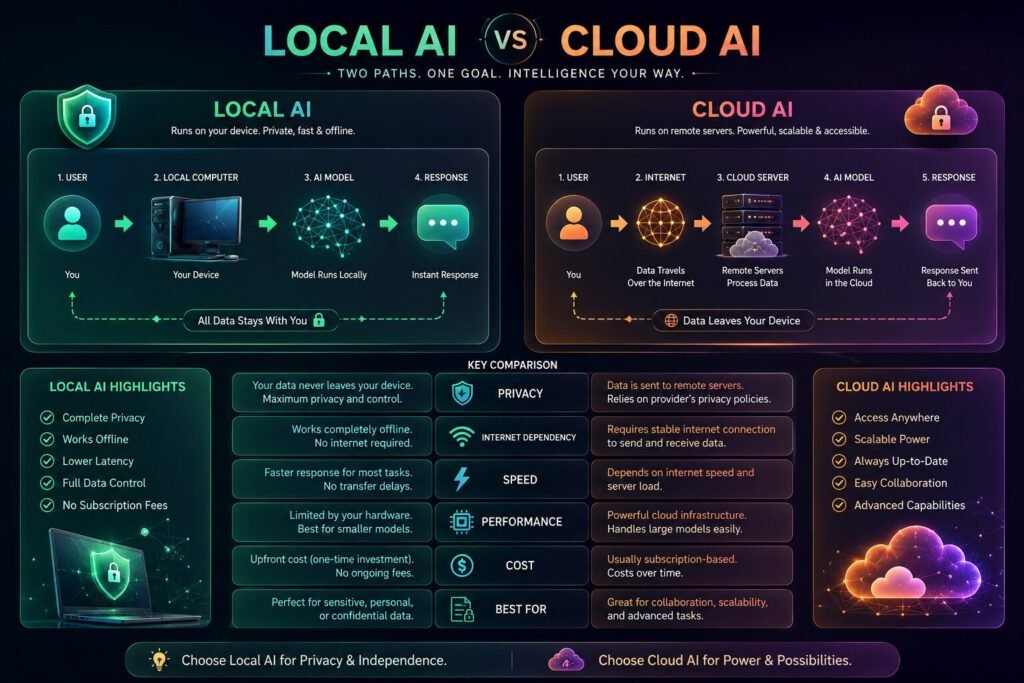
A Local AI Model is an artificial intelligence model that runs entirely on your own computer instead of on a company’s remote servers.
When you ask a cloud AI assistant a question, your request travels across the internet, gets processed inside a data center, and the answer comes back to you.
With a local model, that processing happens on your own machine.
Nothing needs to leave your computer unless you specifically choose to share it.
That simple difference changes several things:
Think of it like editing photos.
Years ago, almost everyone edited images using software installed on their own computer. Later, cloud-based editors became popular because they were easier to access from anywhere.
AI is beginning to follow a similar path. Cloud tools remain convenient, while local models appeal to users who want more control.
A year ago, running AI locally often required expensive hardware and technical knowledge.
Today, things look very different.
Modern AI software has become easier to install, smaller models have become surprisingly capable, and consumer GPUs have become powerful enough to handle many everyday AI tasks.
That combination has made local AI practical for far more people than before.
The biggest reasons people make the switch include:
Many users simply don’t want confidential notes, contracts, source code, or research documents uploaded to external servers.
Running AI locally reduces that concern because the data never needs to leave the device.
After a model has loaded into memory, responses can feel extremely fast because there’s no network delay.
Performance depends largely on your hardware rather than internet quality.
Local AI keeps working even if you’re traveling or your internet connection is unavailable.
For field researchers, photographers, engineers, and remote workers, this can be a genuine advantage.
Developers enjoy testing different models, prompts, and workflows without worrying about usage limits or API costs.
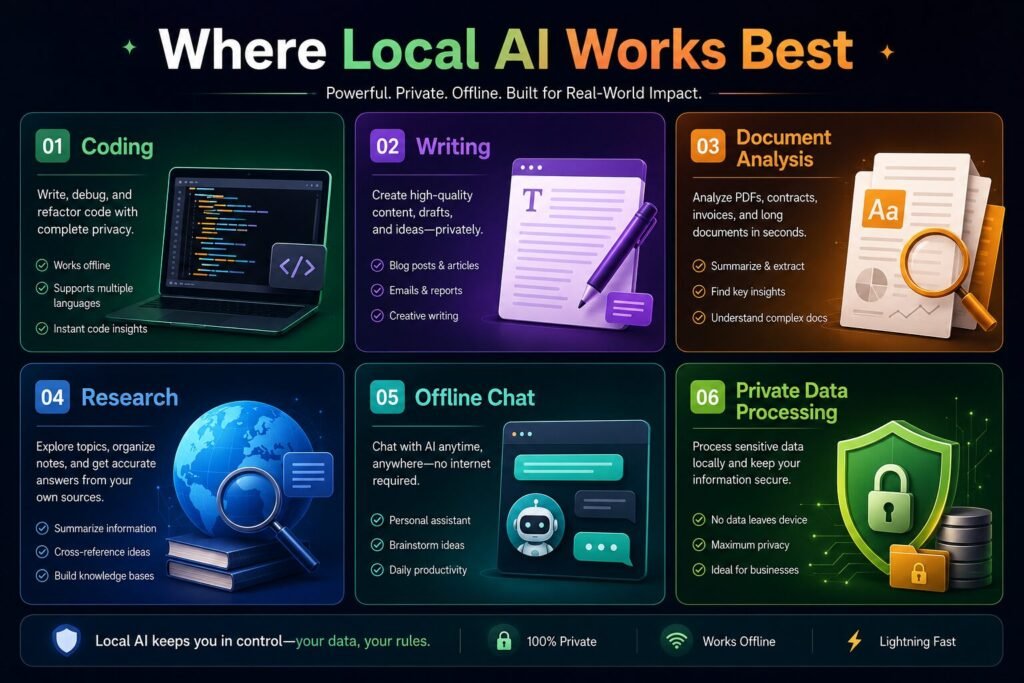
Local AI isn’t automatically better.
Its value depends on what you’re trying to accomplish.
It works particularly well for:
On the other hand, if you need the latest news, live web search, or collaborative cloud features, online AI services are often the better choice.
That’s why many professionals now use a hybrid workflow instead of choosing one approach exclusively.
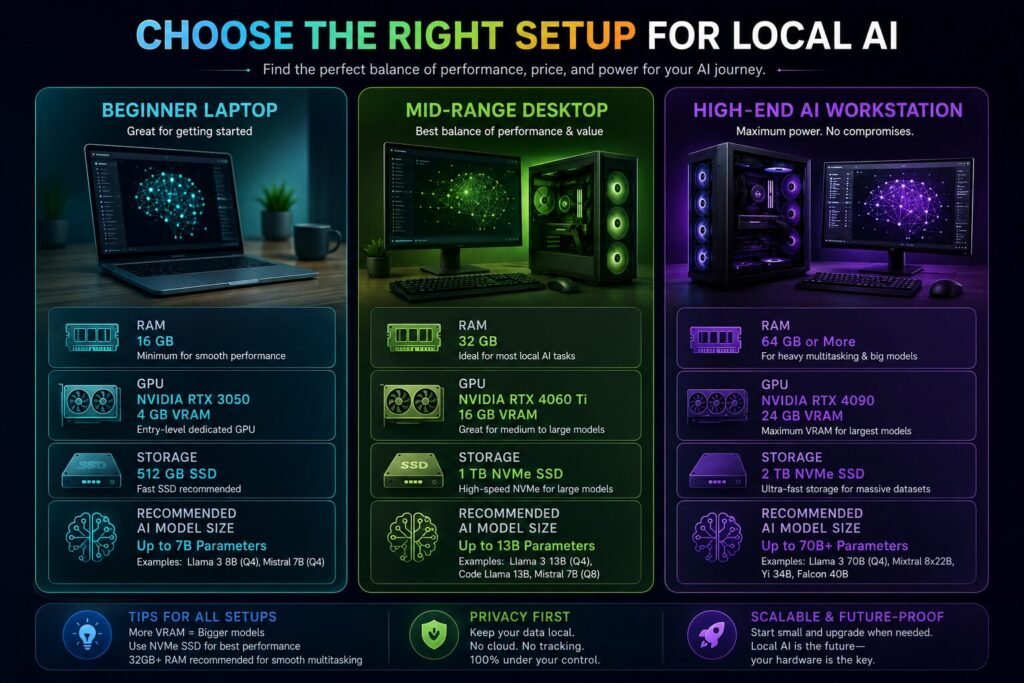
One of the biggest misconceptions is that you need an expensive workstation.
That isn’t always true.
Smaller AI models can run comfortably on many modern laptops and desktops, while larger models benefit from more RAM, faster processors, and dedicated graphics cards.
The important point isn’t buying the most powerful computer available.
It’s matching the model size to the hardware you already own.
For many beginners, starting with a lightweight model provides a much better experience than trying to run the largest model possible.
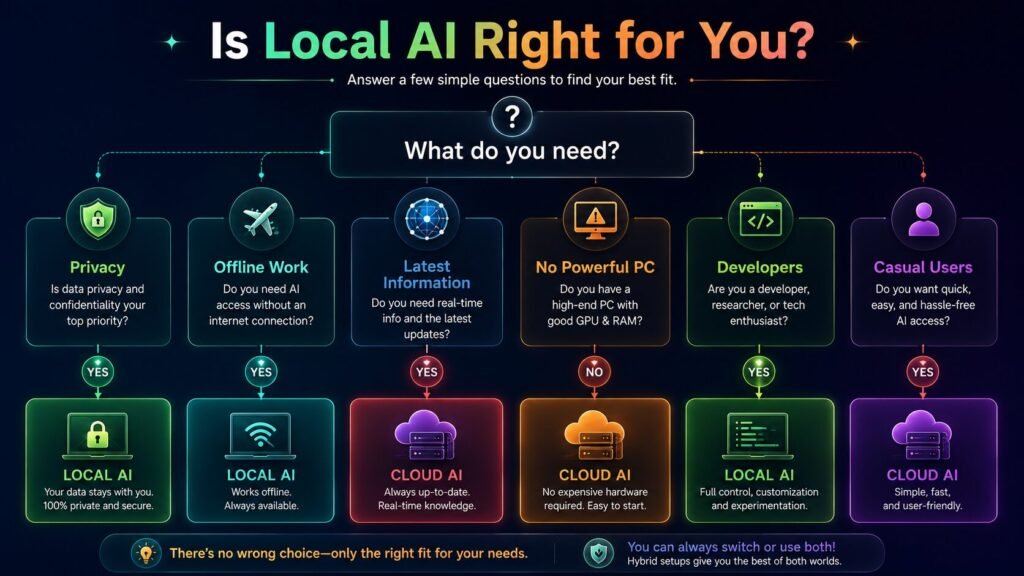
Instead of asking which one is better, it’s more useful to ask which one fits your workflow.
| Local AI Models | Cloud AI Services |
|---|---|
| Better privacy | Easier to start |
| Works offline | Access from anywhere |
| Hardware dependent | Powerful remote servers |
| No recurring API usage for local inference | Often subscription-based |
| User controls updates | Provider manages everything |
For someone writing personal journals or reviewing confidential documents, local AI can make perfect sense.
For someone who needs live information every day, cloud AI will probably remain essential.
People often assume local AI is only for software developers.
That isn’t really true anymore.
Writers use it for drafting.
Photographers use it for tagging images.
Students use it for organizing notes.
Small business owners use it to summarize internal documents.
As the software becomes easier to install, the audience continues to grow beyond technical users.
The biggest limitation isn’t intelligence.
It’s expectations.
Some people install a local model expecting exactly the same experience offered by massive cloud systems running on thousands of GPUs.
Current local models can be remarkably capable, but hardware still matters.
Understanding that trade-off prevents disappointment and helps you choose the right tool for the job.
Rather than replacing cloud AI, local AI is likely to become another option.
We’re already seeing software that combines both approaches.
Routine tasks happen locally for speed and privacy, while larger or more complex requests are sent to cloud services when necessary.
That balance feels practical rather than ideological.
Different jobs require different tools.
If someone had asked whether running AI locally was practical two years ago, the answer would have been “for enthusiasts, mostly.”
Today, the answer is much more nuanced.
Local AI models have matured enough to become useful for writers, developers, students, researchers, and business users who value privacy and offline access. They won’t replace cloud AI for everyone, but they don’t need to. Their real strength lies in giving users more choice over where their data goes and how they work.
If you’re simply curious about AI, cloud services remain the easiest place to start.
If privacy, customization, or offline capability matter to you, exploring local AI models is well worth your time. As both hardware and software continue to improve, this is one area of AI that’s likely to become increasingly important over the next few years.


[…] centers built to train and run AI models consume enormous amounts of electricity, and that demand has been showing up on household bills […]
[…] grunt work off analysts’ plates. On the offense side, attackers are using the same kind of AI to speed up reconnaissance, sharpen their phishing, and generally move faster than they used […]