Physical Address
304 North Cardinal St.
Dorchester Center, MA 02124
Physical Address
304 North Cardinal St.
Dorchester Center, MA 02124


Meta's new Muse AI is a personal agent that does tasks for you — emails, bookings, purchases and more. Here's what it is and how it works.
If you have spent any time chatting with AI over the last couple of years, you already know the drill: you type a question, it types an answer. Meta’s newest launch, Muse, wants to change that relationship. Instead of just answering, it tries to do things for you — booking, buying, emailing, organizing — while you get on with your day. Here is what it is, how it works, and what it means for a regular person who has never used anything like it.
On September 8, 2026, Meta announced Muse, its new personal AI agent. The announcement came from Mark Zuckerberg himself, through an Instagram post. At launch, Muse is available only in the United States and only for people aged 18 and over. There is no word yet on when, or whether, it will roll out to other countries.
The key word Meta keeps using is agent. A chatbot answers questions. An agent takes action. Muse is built to carry out tasks on your behalf — the kind of small jobs that eat up your evening, like sorting out travel, filling in long web forms, or chasing a lower bill from a service provider.
Under the hood, Muse runs on a model called Muse Spark. Meta describes it as its most capable model so far, built specifically for this kind of agentic work. The project was developed under Meta’s chief AI officer, Alexandr Wang. That is most of the technical detail a beginner needs — the important part is what it lets the agent do, not the name of the engine.
Talking to Muse works the way you would expect: you describe what you want in plain words, just like texting a friend. You do not need to learn settings, menus, or commands. The difference is what happens next — instead of a reply with instructions for you to follow, you get the job itself moving forward, with Muse doing the clicking, typing, and waiting on your behalf.

Meta’s examples of what Muse can do are refreshingly concrete. It can send emails for you. It can book travel. It can fill out web forms — the tedious ones with twenty fields that nobody enjoys. It can make purchases on your behalf. And in a nice touch, Meta says it can even negotiate bills for you, going back and forth with a provider the way a patient human would.
Some of the more everyday examples sound genuinely useful. Save an Instagram recipe reel and Muse can turn it into a grocery list. Planning a dinner party? It can put the evening together while remembering your guests’ dietary restrictions, so nobody ends up with a plate they cannot eat. These are the small, fiddly jobs that a regular assistant would handle — and that is exactly the role Muse is aiming for.
You do not need any special hardware to try Muse. It comes as a standalone app for both iOS and Android, and there is a web version at muse.ai. It also lives inside WhatsApp, which means for many people it will be one message thread away, in an app they already open dozens of times a day.
Looking ahead, Meta says support for its AI glasses is planned, so the assistant could eventually ride along on your face rather than in your pocket. No date has been given for that yet, so treat it as a roadmap item rather than something to wait for.
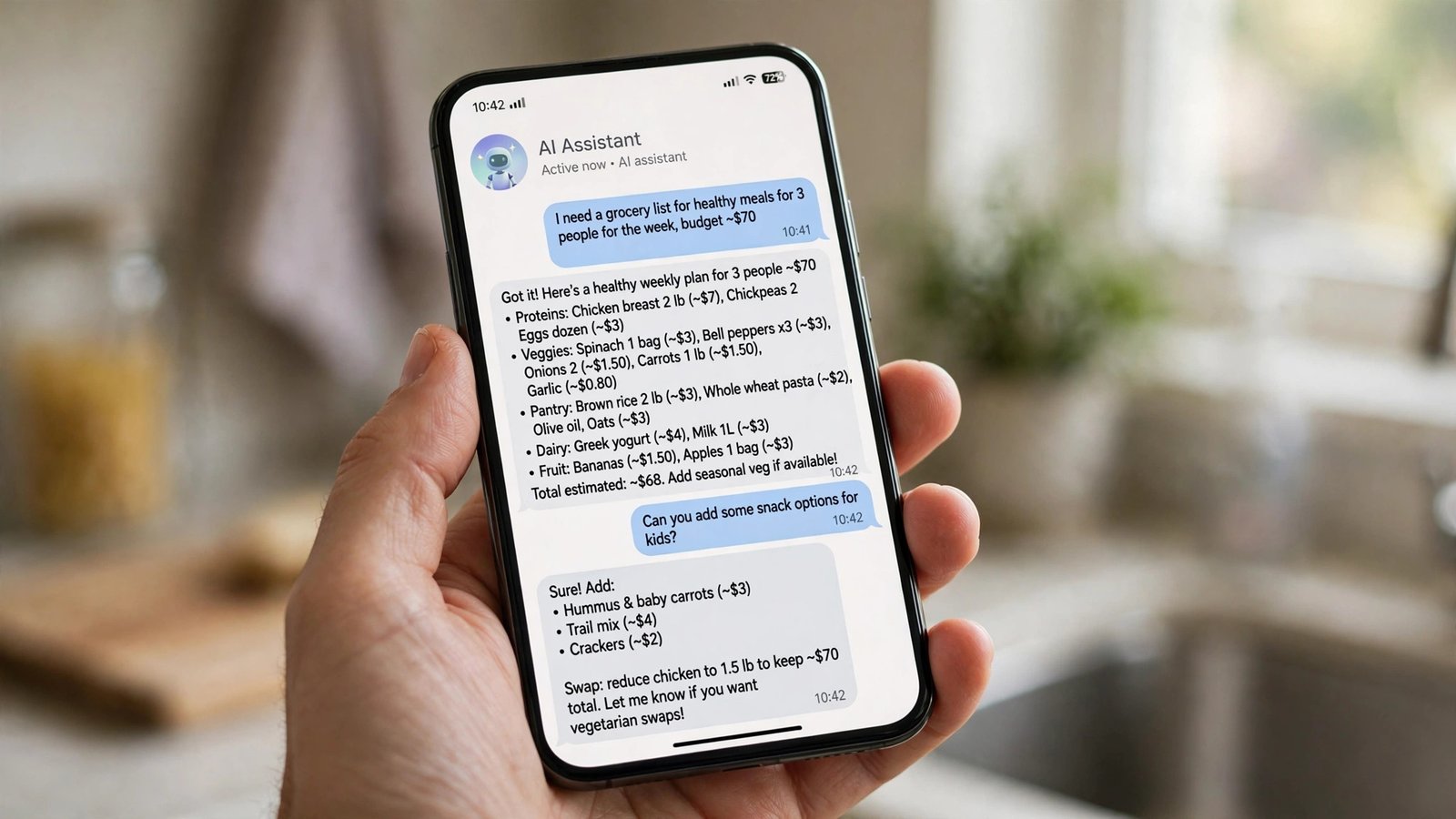
One of the biggest differences from a normal chatbot is persistence. You can give Muse a task, close the app, and it keeps working in the background. It does not just sit there waiting — it comes back to you when it needs a decision or an approval.
That approval step matters. Muse is designed to check with you before sensitive actions, so it is not meant to go rogue with your money or your accounts. Think of it like a capable intern: it does the legwork, but it knocks on your door before doing anything important. For a beginner, that is reassuring — you stay in charge, and the agent handles the boring middle part.
When a task finishes, Muse reports back with the result — a booked trip, a paid bill, a filled form — so you can review what was done. Longer jobs may take a while, and you are free to ignore your phone in the meantime; the whole point is that the waiting happens on the agent’s side, not yours.
Muse has a free basic tier that Meta says covers most uses. If you lean on it heavily, there are two paid plans: Power at $20 per month and Maximum at $100 per month, aimed at people with heavier usage.
A thoughtful detail here is the usage meter. Before Muse takes an action that would require payment, it warns you — so you should not get a surprise charge because the agent quietly upgraded you mid-task. For anyone nervous about handing an AI the keys to their wallet, that transparency is a good sign.
Letting an AI buy things for you raises an obvious question: does it see your credit card? Meta’s answer is a system built with Stripe’s Link wallet. When Muse checks out, Link generates a one-time-use virtual card number for that purchase. The agent completes the payment but never sees your real card number.
Support for Shop Pay and 1Password is planned for the future, which would give you more ways to pay through the agent. Again, no dates have been announced for those, so the Stripe Link route is the one that exists today.

An AI that can email, shop, and fill in forms on your behalf needs serious guardrails, and Meta knows it. In fact, the company held the launch back from an original April date specifically to work through security concerns before releasing it.
Technically, Muse runs inside its own cloud virtual machine, which Meta calls the “Muse Secure VM”. Meta also says a system called “Sentinel” watches the agent’s outgoing requests and blocks anything unsafe. On the privacy side, you choose which services and accounts to connect, and you can revoke that access at any time. You can also opt out of Meta using your chat history for training its models.
No security system is perfect, and it is sensible to start small — connect one low-stakes service first, see how the approval flow feels, and only then give it more responsibility. The controls are there; use them deliberately.
If you are in the US and over 18, the free tier makes Muse easy to sample without commitment. The pitch is simple: instead of chatting with AI about your to-do list, you hand the list to the AI and it starts working through it. The background-task behavior, the approval checkpoints, and the one-time virtual cards for payments all suggest Meta thought carefully about the trust problem.
It is still early days. The launch is limited to one country, some promised integrations have no dates, and the real test will be how reliably it handles messy real-world tasks over weeks and months, not just in demos. But as a glimpse of where personal AI is heading — from answering questions to doing the work — Muse is one of the clearest examples yet. If the idea of an assistant that keeps working after you close the app appeals to you, this is the one to watch.
Is Muse free? There is a free basic tier that Meta says covers most uses. Heavier users can choose Power at $20 per month or Maximum at $100 per month.
Where can I use it? Right now it is US-only and 18+. It is available as an iOS app, an Android app, on the web at muse.ai, and inside WhatsApp.
Can it really make purchases for me? Yes, and Meta says it does so through Stripe’s Link wallet, which creates a one-time-use virtual card — the agent never sees your real card number. It also asks for your approval before sensitive actions.
Does Meta use my chats to train its AI? You can opt out of having your chat history used for training. You also control which services you connect and can revoke access whenever you like.
Why did it take so long to launch? Meta originally aimed for an April launch but delayed it to work through security concerns — including the Secure VM setup and the Sentinel guard system — before letting the agent loose.

